
G-SHOCK App1.3.5 - Get APK
You'll be able to download in few seconds.
Publisher Description
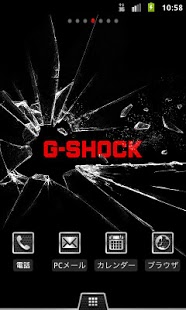
G-SHOCK is responsible for providing the genre "toughness" to watches. There is now an Android application that allows you to fully experience this immutable, indomitable "real toughness" for yourself!
A "Home Application" that allows you to completely customize your home screen in the world of G-SHOCK, including wallpaper and icons. A watch widget based on the first G-SHOCK, the popular "5600 Series" model, along with a highly original Twitter Widget, makes your smartphone more attractive!
<<<<< Main Features >>>>>
*****Watch Link Settings*****
Linked settings can be established between G-SHOCK and a smartphone that supports Bluetooth® v4.0.
*Watch Link Settings mode will be displayed and effective only on supported smartphones.
Details of Watch Link Settings
+ Alert Notification
"Alert Notification" allows a connected G-SHOCK to alert incoming call and reception of email of your smartphone.
(Incoming call notification, email reception notification, alarm ringing notification, schedule ringing notification, steps walked notification)
+ Find Me
"Find Me" allows a connected G-SHOCK to activate the smartphone's alarm to find your smartphone, allowing you to locate the smartphone.)
+ Time Correction
"Time Correction" allows a connected G-SHOCK to synchronize with the time shown on the smartphone.
****Supported watch and smartphones****
+ G-SHOCK: GB-6900 (to be released in March, 2012)
+ Smartphone:
Docomo Smartphone MEDIAS® PP N-01D (released)
Docomo Smartphone MEDIAS® LTE N-04D (to be released in Feb., 2012)
au Smartphone: "IS series" MEDIAS® BR IS11N (released)
SoftBank Smartphone: MEDIAS® CH Softbank 101N (to be released in Jan., 2012)
*G-SHOCK GB-6900 watch will be available in Japan only.
*All the smartphone above are available in Japan only.
*****Home App*****
Change your smartphone's home screen into an original G-SHOCK design!
+ Main Functions
・Original wallpaper (2 types)
・Original live wallpaper (1 type)
・Original icons
・Original tray
*Original icons allow you to change the icon for "Telephone", "Browser", "E-mail" and "Calendar".
* Depending on the smartphone, you may not be able to change all of the icons.
* Original live wallpaper can not be used In the "MEDIAS W N-05E".
***** Twitter Widget*****
A Twitter widget with G-SHOCK taste. Simple and easy-to-read display of Tweets on your home screen!
+ Main Functions
・Twitter timeline display (latest 50 entries).
*Changes to next Tweet after 15 seconds.
・Recheck for latest information
・Move to Twitter client settings screen
・Connect and move to Twitter site
***** Watch Widget*****
A widget of G-SHOCK "5600 Series" on your home screen!
+ Main Functions
・Time display (12/24-hour format)
・Stopwatch function
・3 alarms with snooze and repeat functions
・Timer function
***** Recommended Device Info*****
+ Android OS 2.3.1 or higher
+ Screen size (resolution): HD (720 x 1280 pixels) and WVGA (480 x 800 pixels)
*It may not be displayed correctly on any other models.
About G-SHOCK App
The company that develops G-SHOCK App is CASIO COMPUTER CO., LTD.. The latest version released by its developer is 1.3.5.
To install G-SHOCK App on your Android device, just click the green Continue To App button above to start the installation process. The app is listed on our website since 2013-06-05 and was downloaded 0 times. We have already checked if the download link is safe, however for your own protection we recommend that you scan the downloaded app with your antivirus. Your antivirus may detect the G-SHOCK App as malware as malware if the download link to jp.co.casio.gshock is broken.
How to install G-SHOCK App on your Android device:
- Click on the Continue To App button on our website. This will redirect you to Google Play.
- Once the G-SHOCK App is shown in the Google Play listing of your Android device, you can start its download and installation. Tap on the Install button located below the search bar and to the right of the app icon.
- A pop-up window with the permissions required by G-SHOCK App will be shown. Click on Accept to continue the process.
- G-SHOCK App will be downloaded onto your device, displaying a progress. Once the download completes, the installation will start and you'll get a notification after the installation is finished.
Program Details
System requirements
Download information
Pricing
Version History
version 1.3.5
posted on 2013-06-05
Ver.1.3.5 (4/17/2013),Ver.1.3.2 (4/9/2013),Ver.1.3.1 (3/5/2013),Ver.1.3.0 (2/7/2013)
version 1.3.5
posted on 2013-06-05
Several fixes and updates
Disclaimer
External Download
We do not host G-SHOCK App on our servers. We did not scan it for viruses, adware, spyware or other type of malware. This app is hosted by Galad and passed their terms and conditions to be listed there. We recommend caution when installing it.
The APK Download link for G-SHOCK App is provided to you by apps112.com without any warranties, representations or guarantees of any kind, so access it at your own risk.
If you have questions regarding this particular app contact the publisher directly. For questions about the functionalities of apps112.com contact us.
